
AUTHOR BIOS FOR SHOPIFY BLOGS
Credit your writers without extra staff accounts.
Give guest writers, freelancers and founders a face, a bio and a place on your Shopify blog. Add reviewer credits and keep control of store access.
Preparing for App Store launch. Public installation is not open yet.
Small spaces. More green.
A sunny windowsill is enough to start something good. Our guide to growing herbs at home.
Fictional demo store and AI-generated contributors. Cards rendered from Byline’s storefront code.
Keep your existing blog
Add attribution to the Shopify posts you already publish.
Credit the people behind it
One author and an optional separate reviewer on each post.
Keep control of store access
Contributor profiles do not need staff accounts or store permissions.
YOUR BLOG. YOUR LOOK.
A small detail that feels like your brand.
Choose a layout, portrait shape and colors. Make it quiet and editorial, bright and personal, or something in between.
Three separate design examples. A saved Byline design is shared by cards using Byline mode; fonts follow your theme.
GIVE EVERY CONTRIBUTOR CREDIT
A founder. A freelancer. Your whole editorial team.
Reuse complete profiles across your posts. Introduce each contributor with a photo, bio, role and topics. Connect their public profile and social links.





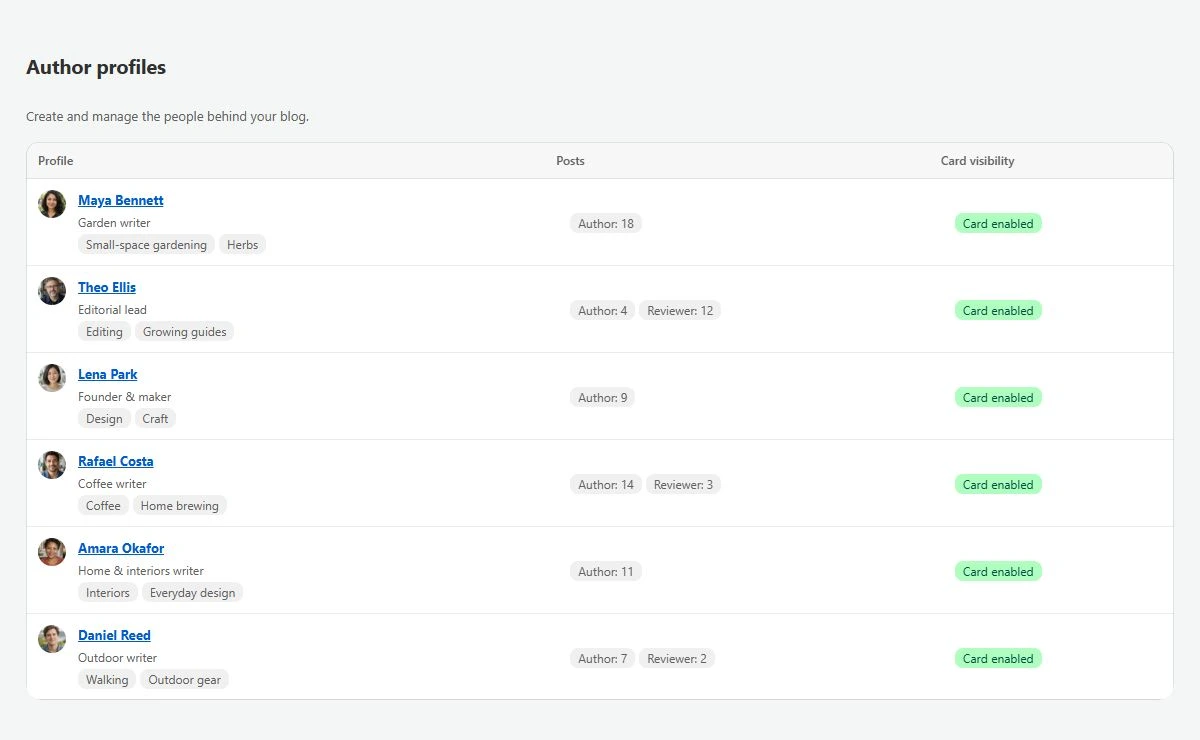
From profile to published byline.
-
Create a profile
Add a name, photo and bio. Link to a public author page you already maintain.
-
Assign your posts
Choose an author and an optional reviewer. Update selected or matching posts in bulk.
-
Add the card to your theme
Place the Byline app block in a supported blog article template. Preview a real post before publishing.
AUTHOR SEO & AI DISCOVERY
Structured author data. Clearer connections.
Give readers a reason to trust the person behind the post. Byline connects visible author details with structured data that helps search systems understand who wrote your content.
- Identify authors consistently across articles.
- Connect public profiles and social identities.
- Include a separate reviewer when one is credited.
Rankings, rich results and AI citations depend on your content and many other signals.

Person
url
sameAs
WebPage.reviewedBy
A byline for every contributor. One simple plan.
Prepared launch offer. Public installation opens after App Store approval.
- Author and reviewer profiles
- Reusable bios, photos and links
- Bulk post assignment
- Card design and photo framing
- Author structured data
The details, before you start.
Do my writers need Shopify staff accounts?
No. Byline profiles are for attribution. They do not give contributors a store login or access to write and publish posts. Your existing team keeps control of publishing.
Can I show several authors on one article?
Each post supports one primary author and one optional, distinct reviewer. Byline does not add multiple co-authors or run an approval workflow.
Does Byline create author pages?
You create and maintain the page in Shopify or on another public site. Byline links the contributor’s name to it; it does not automatically build an author archive or article feed.
What does my theme need?
Your blog article template must support theme app blocks. Add the Byline card block and check its placement on an assigned article.
Will this improve rankings or get my blog cited by AI?
Clear author information and structured data can help search systems understand your content. Byline cannot guarantee rankings, authority scores, rich results or AI recommendations.
What happens when paid access ends?
Published article author names stay in place. Author and reviewer cards, their structured data and new editing are disabled. To restore a saved original name, explicitly unassign the post while editing is available.